
.png)
Description
Download WorkHard Fitness – AI‑Powered Fitness Tracker, Free & Secure
Overview
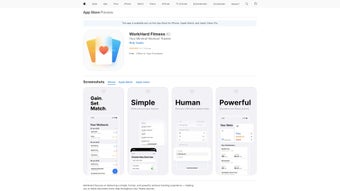
WorkHard Fitness is a comprehensive, web‑based AI fitness tracking app that helps you plan, monitor, and achieve your health goals. Built for both beginners and seasoned athletes, the platform blends smart goal‑setting, personalized workout plans, a dynamic workout journal, video tutorials, and interactive challenges into a single, easy‑to‑use interface. After creating an account, users can grant the app permission to read device health data—such as step counts, heart rate, and calorie burn—allowing the AI engine to fine‑tune recommendations in real time. Whether you aim to lose weight, build muscle, improve endurance, or simply stay active, WorkHard Fitness delivers a structured roadmap that adapts as you progress. The app’s sleek design, secure cloud storage, and regular automatic updates ensure a smooth experience across all major operating systems. By centralising data, motivation, and expert guidance, WorkHard Fitness positions itself as a one‑stop solution for anyone serious about turning fitness aspirations into measurable results.
Key Features & Benefits
- AI‑Driven Personalization: The platform analyses your fitness level, goals, and device data to generate custom workout plans that evolve with your performance.
- Goal Setting & Progress Tracking: Set specific milestones—such as weekly mileage, strength targets, or body‑composition goals—and watch a visual dashboard update in real time.
- Interactive Workout Journal: Log exercises, reps, sets, and notes instantly; the journal syncs across devices for on‑the‑go access.
- Video Tutorial Library: Access a curated collection of high‑definition instructional videos that demonstrate proper form and technique for every major exercise.
- Challenge Engine: Participate in weekly or monthly community challenges that boost motivation through leaderboards, badges, and social sharing.
- Health Data Integration: Seamlessly connect to Apple Health, Google Fit, or native device sensors to import steps, heart rate, and sleep metrics.
- Secure Cloud Backup: All workout logs and personal settings are encrypted and stored securely in the cloud, ensuring data safety and cross‑device continuity.
- Regular Free Updates: New features, bug fixes, and AI model improvements are pushed automatically, keeping the app fresh without extra cost.
Beyond the raw feature list, WorkHard Fitness delivers tangible benefits that translate into better adherence and results. The AI engine reduces the guesswork of program design, while the journal and visual progress charts keep users accountable. Video tutorials eliminate the intimidation factor for newcomers, and the challenge system taps into the human love of friendly competition. Together, these elements create a habit‑forming ecosystem that makes it easier to stay active, monitor health metrics, and celebrate milestones—all within a secure, privacy‑first environment.
Installation, Usage & Compatibility
Getting Started – Simple, Secure Installation
WorkHard Fitness is a web‑based application, meaning you can access it directly from any modern browser without the need for a bulky desktop client. For users who prefer a native feel, the service offers progressive web app (PWA) wrappers for Windows, macOS, Android, and iOS. To install:
- Visit workhardfitness.com on your preferred device.
- Click the “Download App” button; the site will detect your operating system and provide the appropriate installer (EXE for Windows, DMG for macOS, APK for Android, or a shortcut for iOS PWA).
- Run the installer and follow the on‑screen prompts. The process takes under two minutes and does not require admin rights on most platforms.
- After installation, launch WorkHard Fitness and create a new account using an email address or social login (Google, Apple, or Facebook).
- When prompted, grant permission to read health data from your device. This step is optional but recommended for the AI to generate truly personalized plans.
First‑Time Use – Setting Up Your Profile
Upon login, you’ll be guided through a quick questionnaire covering age, weight, height, fitness experience, and primary goals (e.g., weight loss, muscle gain, endurance). The AI instantly creates a starter plan, which you can edit or replace with a template from the library. The dashboard then displays a “Today’s Workout” card, a progress ring, and a quick‑log button for immediate entry. You can also explore the video tutorial section, join a challenge, or review your weekly summary.
Supported Operating Systems (Windows 10/11, macOS 11+, Android 8+, iOS 13+)
Because WorkHard Fitness runs as a PWA, it inherits the compatibility of the underlying browser engine. The native wrappers are optimized for the latest versions of each OS, ensuring smooth animations, low battery impact, and full access to health APIs (Apple HealthKit, Google Fit, Samsung Health). Users on older systems can still use the web version via Chrome, Edge, Safari, or Firefox, though some advanced health‑data integrations may be unavailable.
Best Practices for Ongoing Use
To maximise the app’s AI capabilities, sync your device’s health data daily, complete at least 80 % of the recommended workouts each week, and engage with the challenge community at least once per month. The platform also sends gentle push notifications for upcoming workouts, missed sessions, and milestone celebrations—feel free to customise the frequency in the Settings menu.
Pros, Cons, FAQ & Final Verdict
Pros & Cons
- Pros
- Highly personalized AI recommendations adapt as you improve.
- All‑in‑one solution: planning, tracking, tutorials, and community challenges.
- Secure cloud backup and end‑to‑end encryption protect personal data.
- Free core features with regular, automatic updates.
- Cross‑platform availability via web and native PWA wrappers.
- Cons
- Advanced analytics (e.g., VO2 max estimation) are locked behind a premium subscription.
- Requires an internet connection for full AI functionality; offline mode is limited.
- Some users may find the initial questionnaire lengthy.
Frequently Asked Questions
Is WorkHard Fitness truly free?
The core app—including AI‑driven plans, journal, video library, and challenges—is free. A premium tier adds deep analytics, custom coaching, and ad‑free experience.
Can I use WorkHard Fitness without linking my health data?
Yes. The app will still generate generic plans, but linking step count, heart rate, or sleep data enables the AI to fine‑tune recommendations for better results.
Is my personal data safe?
All user data is encrypted in transit (TLS 1.3) and at rest. WorkHard Fitness complies with GDPR and CCPA standards, and never sells personal information to third parties.
How often are new workouts added?
The content team adds fresh video tutorials and challenge templates weekly. Premium subscribers receive early access to exclusive routines.
Can I export my workout history?
Yes. The Settings menu includes an “Export Data” option that generates a CSV or JSON file, compatible with most third‑party fitness apps.
Final Verdict & Call‑to‑Action
WorkHard Fitness stands out as a versatile, AI‑powered fitness companion that balances depth with accessibility. Its free tier offers enough features to keep most users engaged, while the optional premium upgrade provides the extra analytics power for serious athletes. The seamless cross‑platform experience, secure data handling, and vibrant community challenges make it a compelling choice for anyone looking to turn fitness goals into measurable achievements.
If you’re ready to upgrade your workout routine with a smart, secure, and free tool, click the button below to download WorkHard Fitness now. Your personalized fitness journey starts the moment you log in.
Download WorkHard FitnessGuides & Tutorials for WorkHard Fitness
How to install WorkHard Fitness
- Click the Preview / Download button above.
- Once redirected, accept the terms and click Install.
- Wait for the WorkHard Fitness download to finish on your device.
How to use WorkHard Fitness
This software is primarily used for its core features described above. Open the app after installation to explore its capabilities.
User Reviews for WorkHard Fitness 0
No reviews found




